
Getting Halifax County Court Records
The Halifax County Clerk of Superior Court keeps the official files. Both Superior Court and District Court are covered. That office is the backbone of any Halifax County docket search. Portal Smart Search is a good first stop. It opens public Case Summary information and any documents available to you. For inspection of the official file, certified copies, or a search the Portal cannot finish, go through the Clerk counter, the paper file, or the self-service terminal. The courthouse sits at 357 Ferrell Lane, Halifax, NC 27839. Reach the Clerk's office at (252) 593-3000.
- Identify the case number, party name, approximate year, court or case type, and the particular item needed.
- Use Portal Smart Search for the public Case Summary and available information.
- Use the Clerk's self-service terminal or first-floor counter for an accessible record that is incomplete or unavailable online.
- Ask the Clerk whether a plain copy, certificate under seal, exemplification, or a separate audio or transcript procedure applies.
- Pay any applicable statutory charge and confirm how the available copy can be received.
Halifax has no identified mail, fax, or email form for general court-record copies, and no local turnaround promise exists. A phone call can sort out the right route. Mail works only for eligible citation payments. It is not a case-file copy channel. A formal Judicial Branch records request covers administrative records; Halifax case files are normally handled by the Halifax Clerk.
Halifax County Court Record or Portal Case Summary
Three terms get mixed up here, so keep them straight. A Register of Actions, or Case Summary, is the searchable, chronological record. It logs public case events. A filed document is the real thing behind an entry. Think a pleading, order, judgment, or exhibit. A certified copy or certificate under seal is a Clerk-issued official record. They are related but not the same. Portal materials state plainly that the public view is not the official court record.
The Judicial Branch's obtaining court records guidance lays out the framework. It spans the state terminal, the clerk file, and copies.
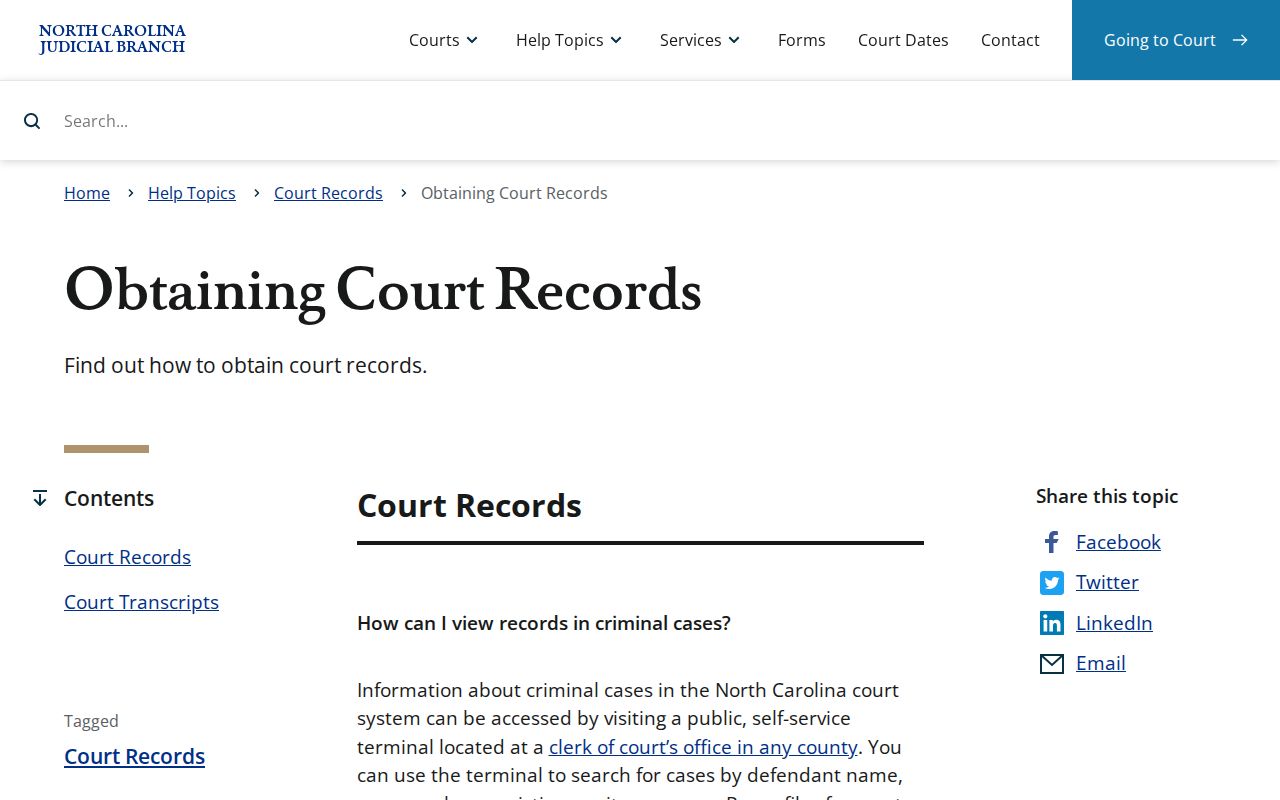
Let the Portal find the case. Then request the official item from the Clerk when a certified or complete file record is what you need.
Court Record Types
The clerk-record statute gives the Halifax Clerk a long list to maintain. The list spans civil actions, special proceedings, estates, criminal actions, juvenile actions, minutes, judgments, liens, and other required records. That list never overrides confidentiality law. Access still depends on the record type. It also depends on the individual file and any statutory or court-ordered restriction. So the Halifax County court docket may show an event you cannot fully inspect.
- Public Case Summary or Register of Actions with available case events and hearings.
- Available pleadings, motions, orders, judgments, and exhibits in a case file.
- Criminal, civil, estate, and special-proceeding records maintained by the Clerk.
- Judgment and lien index information, subject to the record and access route.
- Separate requests for an available transcript or non-confidential District Court audio record.
Halifax County Court Record Terminal and Paper File
State guidance points to public self-service terminals in clerk offices. These cover criminal, civil, special-proceeding, and estate information. The paper file stays in the county where the case is located. It remains there whenever access is permitted. Halifax is simpler than most places. The Clerk's office serves as the records office for both trial-court divisions. Identify the case type and year rather than hunting for a separate city court archive.
The Eastern District of North Carolina county listing shows a separate federal court layer. It serves Halifax County.
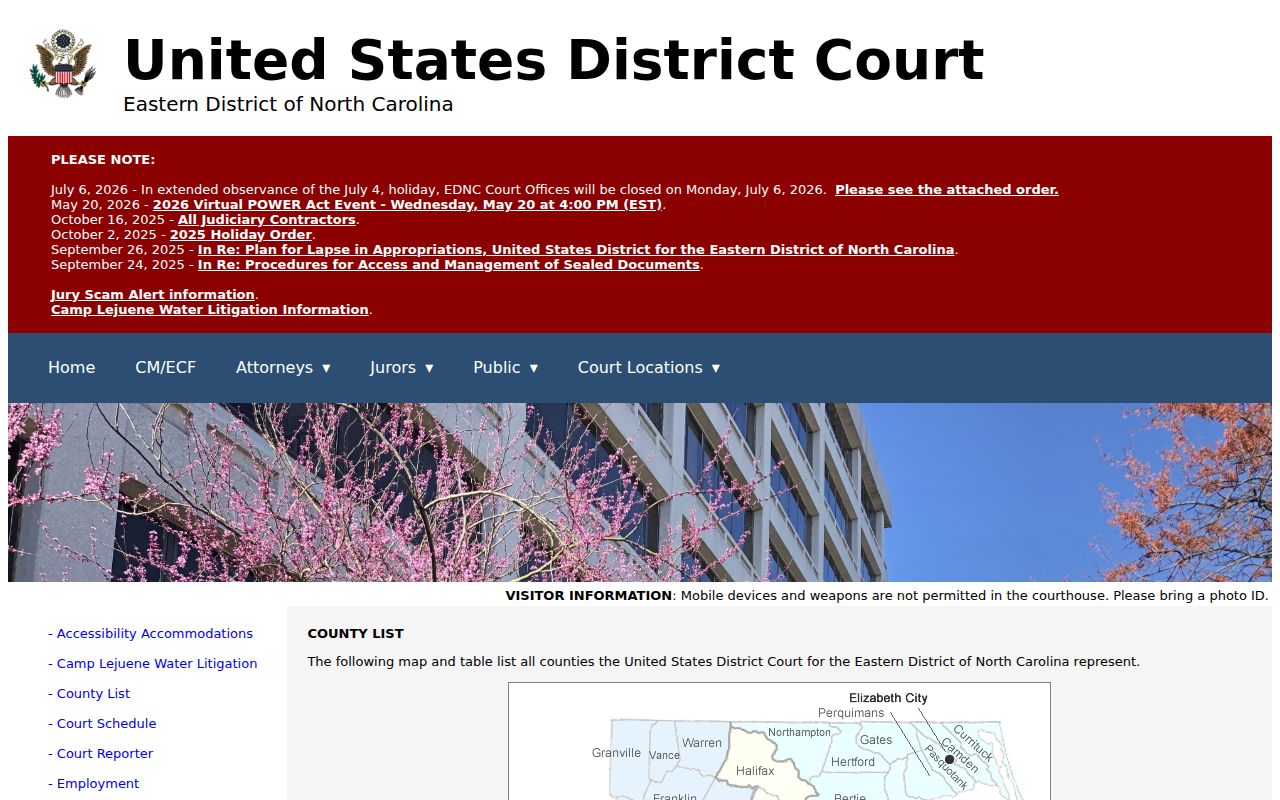
Federal cases do not live in Halifax state-court files. The federal Eastern District of North Carolina serves the county. Its records run on federal systems, not the state Portal or the Halifax Clerk file.
Inside a Halifax County Court Record
A public Case Summary is a fast way to find the file. It may show only public information. The official file can hold the signed material behind the event history. Attachments may sit there too. Name the exact document in your request if you know it. An event title alone guarantees nothing. Portal may not display a downloadable document.
| Case Number | The file identifier used to open the case and request its record. |
|---|---|
| Case Information | Available case, assignment, status, party, and attorney information. |
| Case Events | The chronological available history of filings and court actions. |
| Hearings and Dispositions | Available scheduled events and recorded outcomes, read with later entries. |
| Filed Documents | Pleadings, orders, judgments, exhibits, or attachments that public access permits. |
Halifax County Court Record Documents May Be Unavailable Online
An online case event only means one thing. The event has a slot in the available history. It does not promise that you can open every pleading, signed order, exhibit, or image. Access rights, the record's status, and document availability all matter. Each one limits what Portal shows a given user. For public paper-file review and official copies, the Clerk is the source.
The General Assembly's G.S. 7A-109 provides the inspection and electronic-access authority behind the Clerk's record system.
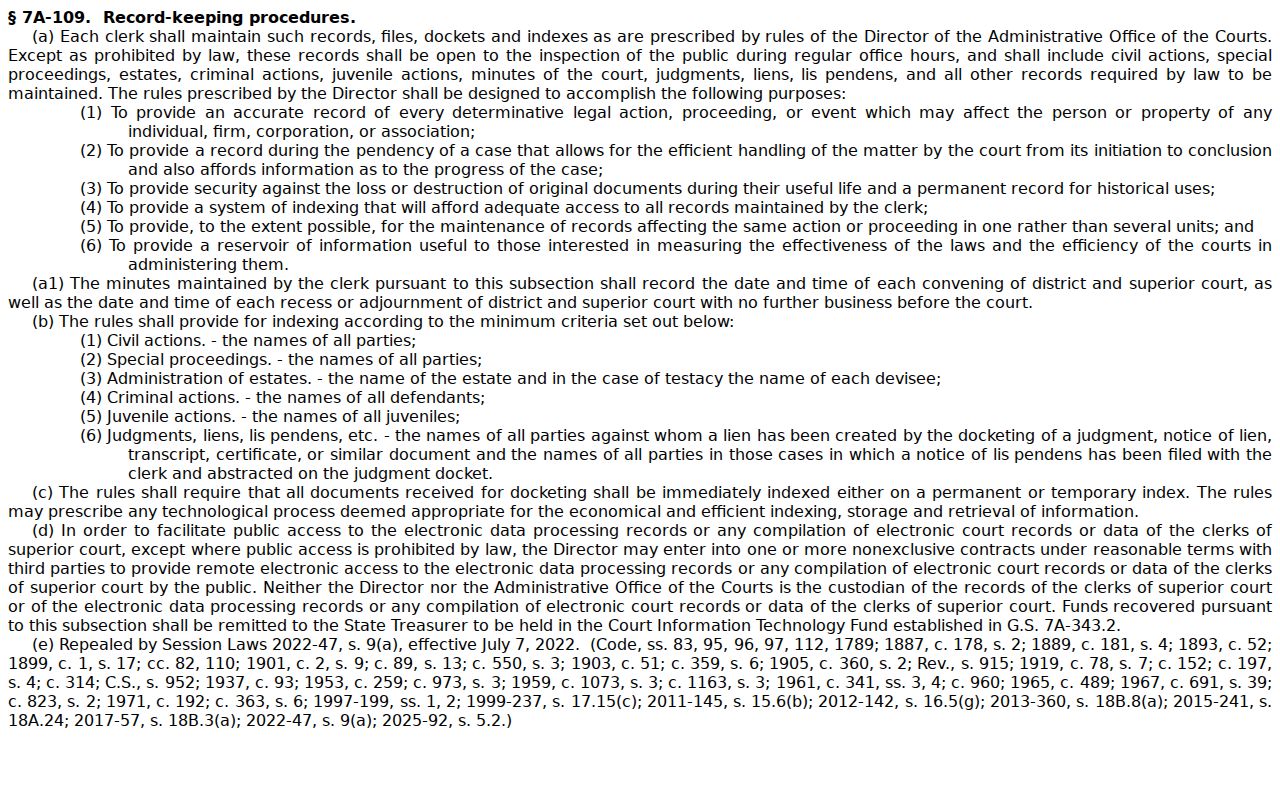
That electronic-access authority works alongside, not around, the rules keeping confidential material out of public view.
Fees and Certified Copies
A plain copy is not a certified copy. A certificate under seal and an exemplification are separate Clerk services, each with its own statutory charge. The amounts come from G.S. 7A-308, not a local fee sheet. Portal may charge a viewing or printing fee for a particular document. No fixed amount is set for that service.
| Item | Amount |
|---|---|
| Preparation of first page of each copied document | $2.00 |
| Each additional page or fraction | $0.25 |
| Certificate under seal | $3.00 |
| Exemplification of records | $10.00 |
| Statutory criminal-record search | $25.00, subject to statutory exceptions |
Halifax County Clerk of Superior Court
Halifax County Courthouse, first floor
357 Ferrell Lane
Halifax, NC 27839
(252) 593-3000
The G.S. 7A-308 fee statute sets out the copy and certification charges for Halifax County court records.
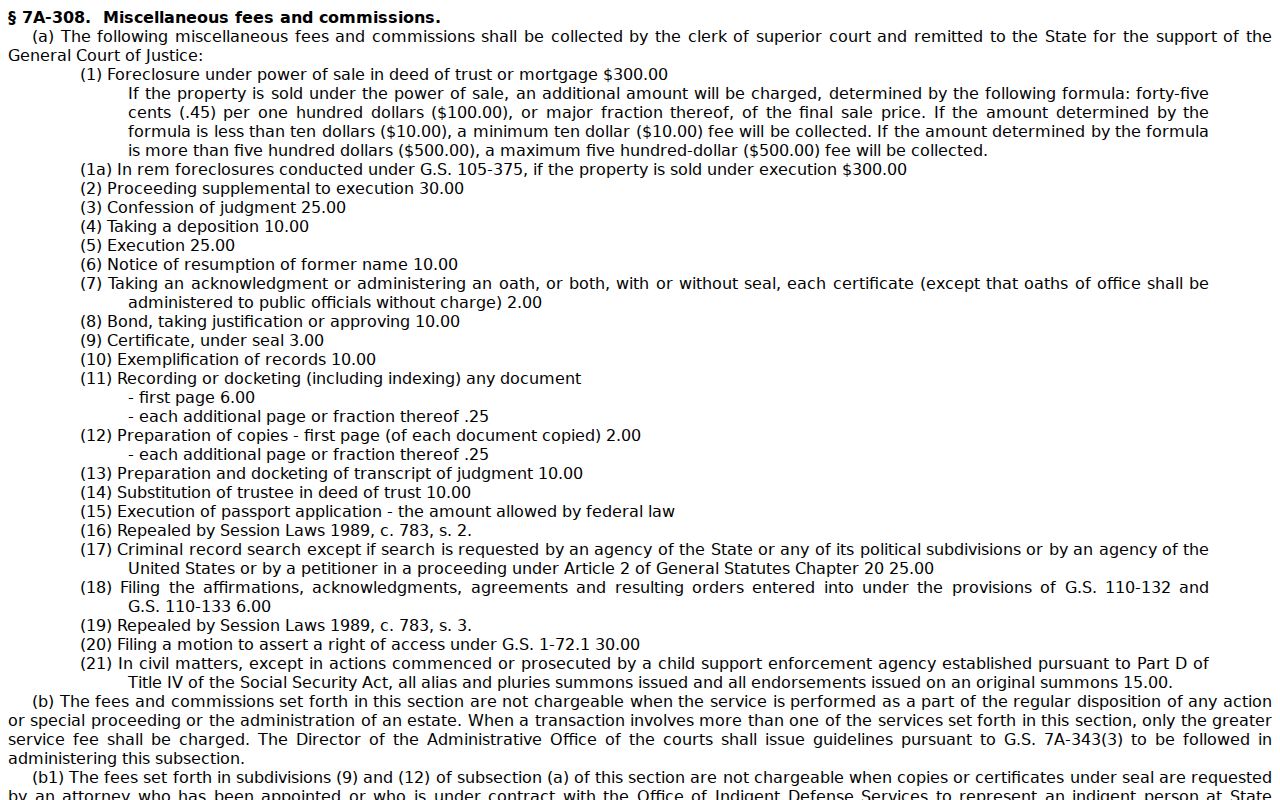
Confirm the total charge with the Clerk first.
Halifax County Court Record Audio Requests
Form AOC-G-114 is not a general docket-copy form. It requests a duplicate of a non-confidential, electronically recorded District Court hearing. Be ready to give the county, case name and file number, proceeding date, presiding judge, courtroom, and your own information. A juvenile or other confidential hearing is off limits. The official AOC-G-114 form page explains the request route.
Bring cash, a certified check, or a money order made out to the Clerk of Superior Court. Personal checks are not accepted. The live Clerk sets the available copy and the charge, so confirm the amount before you pay.
Sealed Records and Public Access
Start with the basic rule. Clerk records and indexes are open for inspection during regular office hours unless a law says otherwise. Juvenile files, sealed material, expunged entries, and other confidential case records stay closed. Running another Portal query does not open them. A member of the public cannot reach them unless a statute or court order allows it. An empty Portal result can also mean something simpler. The name, number, location, or date range you searched may be off. Check your search criteria first. Then ask the Clerk about the proper public-record route for a Halifax County court docket or case file.
North Carolina access rules:
G.S. 7A-109 generally opens Clerk records and indexes for inspection while recognizing legal limits.
G.S. 7B-3000 withholds juvenile court files from public inspection except as law or court order allows.
G.S. 15A-151 treats expunged court records as confidential files under stated access limits.
Halifax County Court Record Access Under the Public Records Act
North Carolina's Public Records Act, G.S. 132-1, defines what counts as a public record. It also sets a minimal-cost policy. It does not override confidentiality rules. Those rules still apply to a restricted court case file. For a Halifax case record, the Clerk is still the place to go. That office handles file inspection and copies. It issues certificates too. It can also explain why a case number is absent from the public Portal.
Halifax County Court Record Transcripts Are Separate
A transcript is different. It is not a docket sheet or a copy from the paper file. A court reporter creates the verbatim record. Transcript rates are set on their own. A transcriptionist can turn a recording into a written transcript instead. In Criminal District Court, hearings generally are not recorded. A judge must order it. There are stated exceptions for felony pleas. So ask the Clerk which route applies before requesting a transcript or audio. Name the court, the case number, the proceeding date, and the specific record you want. Do this whenever you know those details.